GoG ePay Services Features Guide 2026 for Ghana Workers
Most Ghana government employees log in to the GoG ePay Services portal, download their payslip, and log out. That is it. But the portal has far more to offer — and most of those features are free, always available, and genuinely useful for managing your salary, deductions, pension, tax records, and loan eligibility.
This guide walks through every major GoG ePay Services feature available in 2026, explains what each one does, and shows you how to use it. Whether you are a teacher, nurse, police officer, or civil servant on the CAGD payroll, there is something here most employees have never used but should.
Who Can Use GoG ePay Services Features?
If your salary is paid through the CAGD payroll system, you can use this portal. That covers a wide range of public sector workers across Ghana, including:
In simple words, if you are a government employee in Ghana and your salary is managed by CAGD, all GoG ePay Services features on this portal are available to you for free.
Top GoG ePay Services Features in 2026
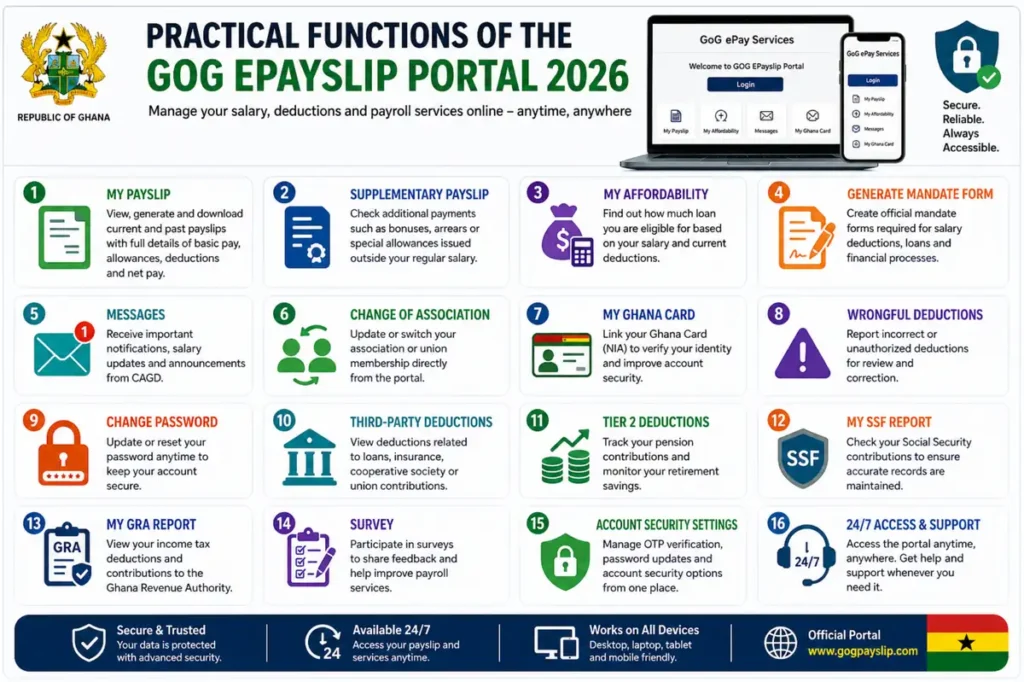
The GoG ePay Services portal makes it easy to manage your salary and payroll details in one place. The GoG ePay Services features covered below are all accessible from your dashboard — no office visits needed, just your phone or computer and your login details.
My Payslip:
This is the most used feature on the GOGPayslip portal and for good reason. Every registered Ghana government employee can instantly view, generate and download their monthly CAGD EPayslip from any device. Your payslip shows a complete breakdown of your basic salary, housing allowance, transport allowance, utility allowance, GRA tax deductions, SSNIT contributions, Tier 2 pension, third-party deductions and net salary for that month. You can also access your full payslip history going back multiple months which is perfect for bank loan applications, salary verification or keeping personal financial records.
Supplementary Payslip:
Not every payment from the Government of Ghana shows up on your regular monthly payslip. The My Supplementary Payslip feature gives you access to any extra payments issued outside your normal salary including backdated pay, bonuses, special allowances or corrections made by your CAGD department. Always check this section if you are expecting any additional payment that month.
My Affordability:
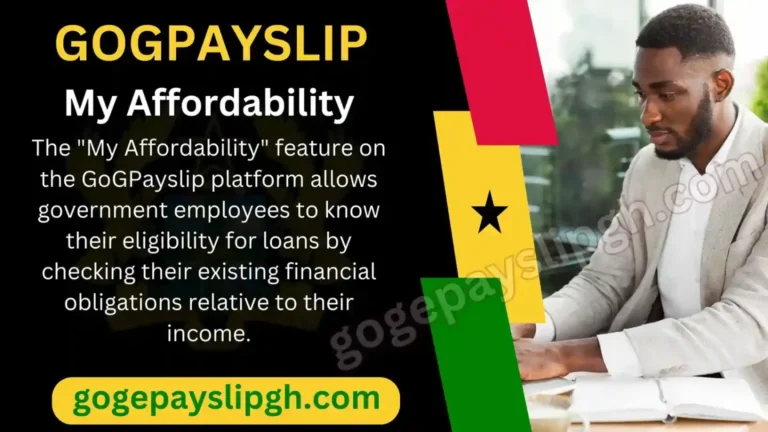
Before you walk into any bank or financial institution in Ghana to apply for a loan, always check this feature first. My Affordability instantly shows you the exact maximum monthly loan repayment your current CAGD salary can support, based on your net pay and all existing deductions. Banks, microfinance companies, and cooperative societies across Ghana use this figure to approve or reject salary-based loan applications. See our Loan Affordability guide for a full walkthrough of how to use this feature.
Generate Mandate Form:
Applying for a loan or salary deduction in Ghana used to mean visiting multiple offices and filling out paper forms. This feature lets you create and download your official mandate form entirely online — no office visits, no paperwork. Our Mandate Form guide explains the full process including the important difference between the 10-digit and 11-digit mandate numbers on the old and new portals.
Wrongful Deductions:
This is one of the most important but least used features on the portal. If you ever notice an incorrect, unauthorized, or unexpected deduction from your salary, do not ignore it. Use the Wrongful Deductions tab to report it directly to CAGD for investigation and correction. Our Wrongful Deductions guide explains exactly how to use this feature and what to do if the issue is not resolved quickly.
Quick Loan:
Need emergency funds before your next salary? This feature allows eligible Ghana government employees to apply for a salary-based loan or advance directly through the CAGD EPayslip platform without visiting any bank or government office. Repayments are automatically deducted from your monthly Ghana government salary.
Messages:
The Messages section delivers important notifications, salary updates, payroll announcements and system alerts directly from CAGD Ghana to every registered Ghana government employee. Never miss an important update about your salary or the GOGPayslip system again.
Change of Association:
This feature is especially useful for GES teachers and other unionized public sector workers. It lets you switch your union or professional association membership entirely online without any paperwork or office visits. Teachers specifically can follow our Teacher Union change guide for step by step instructions.
My Ghana Card:
The GOGEPayslip portal 2026 now requires Ghana Card (NIA) verification for enhanced account security. This feature allows every Ghana government employee to link, verify and update their Ghana National Identification Authority (NIA) card details directly from their CAGD EPayslip dashboard without any office visit required.
Change Password:
Your CAGD EPayslip account security is your responsibility. This feature lets you update your login password anytime from your profile settings. CAGD recommends changing your password regularly to prevent unauthorized access. If you have forgotten your current password, our Password Reset Guide walks you through the recovery process.
Third-Party Deductions:
Loans, insurance premiums, cooperative society dues and union fees all appear as third-party deductions on your CAGD EPayslip. This feature gives every Ghana government employee full visibility into exactly who is deducting money from their salary every month and how much promoting complete salary transparency on the GOGPayslip portal.
Tier 2 Deductions:
Your Tier 2 occupational pension contribution is separate from your SSNIT Tier 1 payment and goes directly to your chosen Ghana pension fund trustee. This feature allows you to track every monthly pension contribution over time helping you stay fully informed about your retirement savings as a Ghana public sector worker.
My SSF Report:
Your Social Security Fund (SSF) contributions are some of the most important deductions on your CAGD EPayslip. This feature gives you a complete history of all your monthly SSNIT contributions helping you verify that every payment has been correctly credited to your SSNIT account in Ghana.
My GRA Report:
Every Ghana government employee is required to pay income tax through the Ghana Revenue Authority. This feature gives you a full breakdown of all your monthly and annual GRA income tax deductions — useful for verifying accuracy and filing your annual tax return. You can also visit the Ghana Revenue Authority official website for tax filing information. Our GRA Tax Report guide explains how to access, read, and download this report.
Survey:
The Government of Ghana and CAGD regularly conduct official surveys through the GOGPayslip portal to gather feedback from public sector employees on payroll services, salary management and portal improvements. Participating in these surveys helps improve the GOGEPayslip system for all 600,000+ Ghana government workers.
Account Security Settings:
From here, you can manage your GoG ePay Services account security settings, including OTP verification and account protection options.
Old vs New GoG ePay Services Features
| Feature | Old GOGPayslip | New GoG ePay Services 2026 |
|---|---|---|
| Ghana Card Verification | ❌ No | ✅ Yes |
| Mobile App | ❌ No | ✅ Yes |
| OTP Security | ❌ No | ✅ Yes |
| Quick Loan | ❌ No | ✅ Yes |
| GRA Integration | ❌ Limited | ✅ Full |
| Wrongful Deductions | ⚠️ Limited | ✅ Full reporting |
| Mobile Responsive | ⚠️ Partial | ✅ Fully Responsive |
| Supplementary Payslip | ❌ No | ✅ Yes |
Conclusion
The GoG ePay Services portal and its features are genuinely useful tools — but only if you use more than just the payslip download. Features like Wrongful Deductions, My Affordability, and the GRA Tax Report are available to every registered employee and take just a few minutes to check each month. Getting into the habit of using them regularly puts you in full control of your salary records and protects you from errors that would otherwise go unnoticed for months.
If you are not yet registered, our GoGPayslip Registration Guide is the best place to start. For login help, see our GoG EPayslip Login Guide.
This website shares independent information about the GoG EPayslip system to help Ghana government employees. It is not officially connected to the Government of Ghana or CAGD.
FAQs – GoG ePay Services Features: Frequently Asked Questions
What should I do if I forget my password?
Click the Forgot Password option on the login page and follow the steps to reset it via OTP. If you run into any issues during the process, our Password Reset Guide covers every step in detail.
Why is my OTP not arriving?
This is usually caused by a network issue, an incorrect phone number on file, or a short system delay. Wait a few minutes and try again. If it still does not arrive, contact your HR office to confirm the mobile number linked to your payroll record — OTPs go to the number registered with CAGD, not necessarily your current number.
Can I use the portal without internet?
No. An active internet connection is required to log in and access any feature on the portal. Mobile data or Wi-Fi both work fine.