GoG ePayslip Loan Affordability Guide 2026 – Easy Loan Check
Before you walk into a bank or microfinance company to apply for a loan, there is one thing every Ghana government employee should do first — check their loan affordability on the GoG EPayslip portal.
The portal has a built-in tool called “My Affordability” that shows exactly how much of your salary is available for loan repayment after all existing deductions have been taken out. Knowing this figure before you apply saves you from rejection, over-commitment, and the embarrassment of borrowing more than your salary can support.
This guide explains what the affordability tool shows, how to use it step by step, and what affects your figure — whether you are a teacher, nurse, police officer, or civil servant on the CAGD payroll.
What Is GoG ePayslip Loan Affordability?
Loan affordability is simply how much of your salary is left over after all existing deductions — and therefore available to repay a new loan. The CAGD calculates this figure automatically on the GoG EPayslip portal based on your current net salary and everything already being deducted from your pay each month.
When you apply for a loan at any bank, microfinance company, or cooperative society in Ghana, the lender checks your CAGD affordability figure first. If the monthly repayment fits within your limit, the loan gets approved. If it exceeds it, the application is rejected — regardless of how long you have been in government service or how clean your record is.
Checking your affordability before you apply is the single most useful thing you can do to avoid rejection and protect your monthly take-home pay. To understand how your salary and deductions are structured before using this tool, our Ghana Salary System 2026 guide breaks it all down.
How to Check GoG ePayslip Loan Affordability
Before applying for a loan, it’s better to check your limit first.
The “My Affordability” feature helps you do that easily.
It shows how much you can afford based on your salary.
Follow these simple steps:
Step 1: Visit the Official GoG ePayslip Website
Open your browser and go to Official Website. Always type the address directly into your browser rather than following links shared on WhatsApp or social media — fake sites do exist and your payroll login details are sensitive.
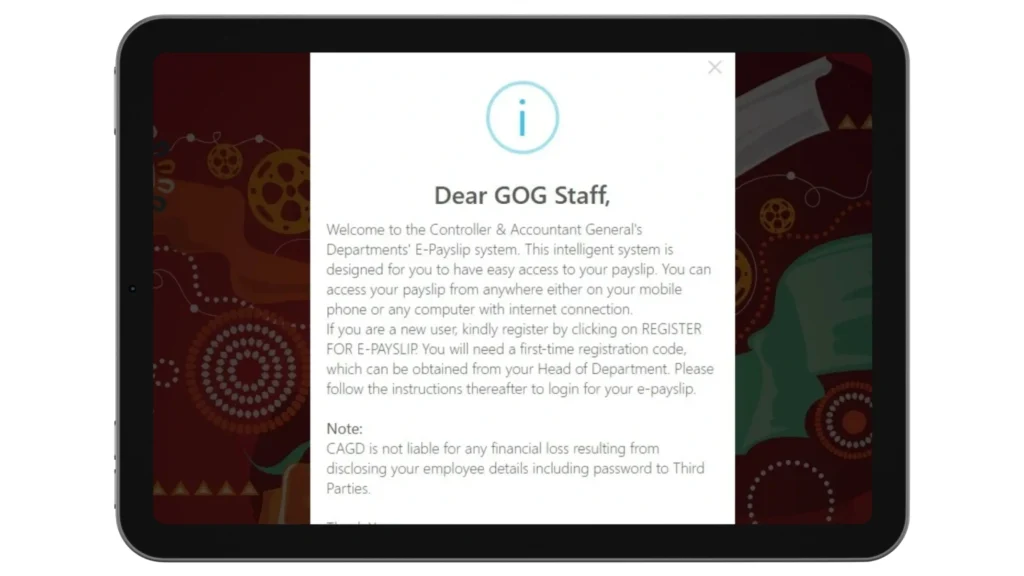
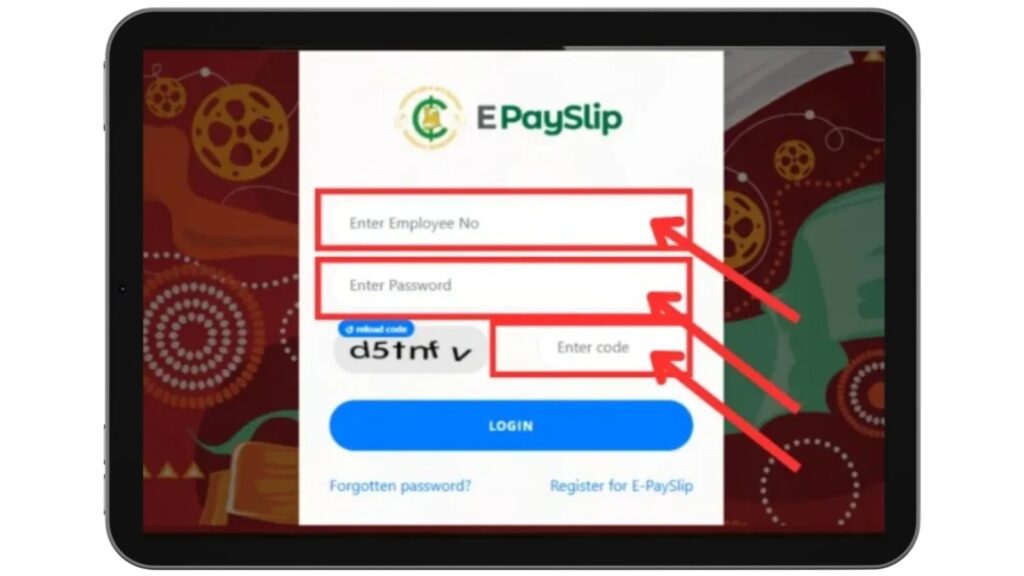
Step 2: Log In to Your Account
Log in using your Employee Number, password, and captcha code. If you have forgotten your password, use the Forgot Password option — or follow our Password Reset Guide before continuing. If you have not registered yet, see our GoGPayslip Registration Guide first.
Step 3: Open the “My Affordability” Section
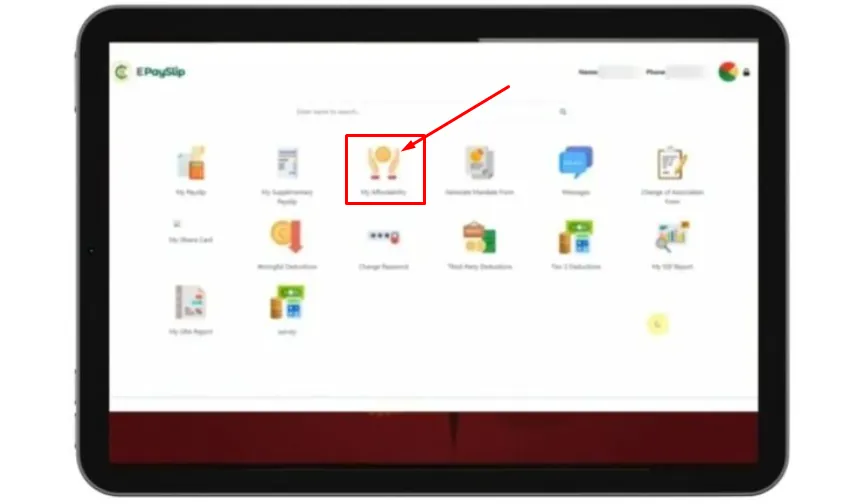
After logging in, you will see your dashboard on the GoG ePayslip Portal.
Find the “My Affordability” option in the menu.
Click on it to continue.
If you don’t see it right away, check the menu or sidebar.
Step 4: View Your “Affordability” Details
Once you open the “My Affordability” section on the GoG ePayslip Portal, you will see your current loan limit.
Here are the main details you should check:
Step 5: Download Your “Affordability” Report
After checking your details, you can download your affordability report from the GoG ePayslip Portal.
Save it for later or print it if needed.
Types of Loans Ghana Government Employees Can Apply For
Based on your GOGPayslip loan affordability, you may be eligible for these loan types in Ghana:
1. Salary Advance Loan:
A short-term advance on your Ghana government salary repaid directly through CAGD payroll deductions over a short period.
2. Personal Bank Loan :
Available from major Ghana banks including GCB Bank, Absa Ghana, Fidelity Bank, Stanbic Bank, and others — based on your CAGD EPayslip affordability and salary history.
3. Microfinance Loan:
Smaller loans available from Ghana microfinance institutions for government workers with lower affordability figures.
4. Cooperative Society Loan:
Loans available through your government department cooperative society — usually at lower interest rates and flexible repayment terms for Ghana public sector employees.
5. Home Loan / Mortgage:
Some Ghana banks and Home Finance Company (HFC) offer mortgage products to government employees with strong CAGD EPayslip affordability figures.
How is “My Affordability” Calculated?
The CAGD system calculates your affordability by looking at your current net salary and subtracting all existing deductions — loan repayments, union dues, insurance premiums, SSNIT contributions, and GRA income tax. What remains after those deductions is your available affordability figure.
As a general rule, lenders in Ghana treat around 30% of your net salary as the safe ceiling for loan repayments. Going above that threshold is where over-commitment starts and where banks begin rejecting applications.
Here is a simplified example of how the calculation works:
Net Salary: GHS 5,000
Existing monthly deductions: GHS 2,000
Remaining available amount: GHS 3,000
Safe loan repayment ceiling (approx. 30%): GHS 1,500
This means a new loan with a monthly repayment above GHS 1,500 would likely be declined based on affordability. The exact figure on your portal may differ — always use the actual number shown under My Affordability rather than estimating.
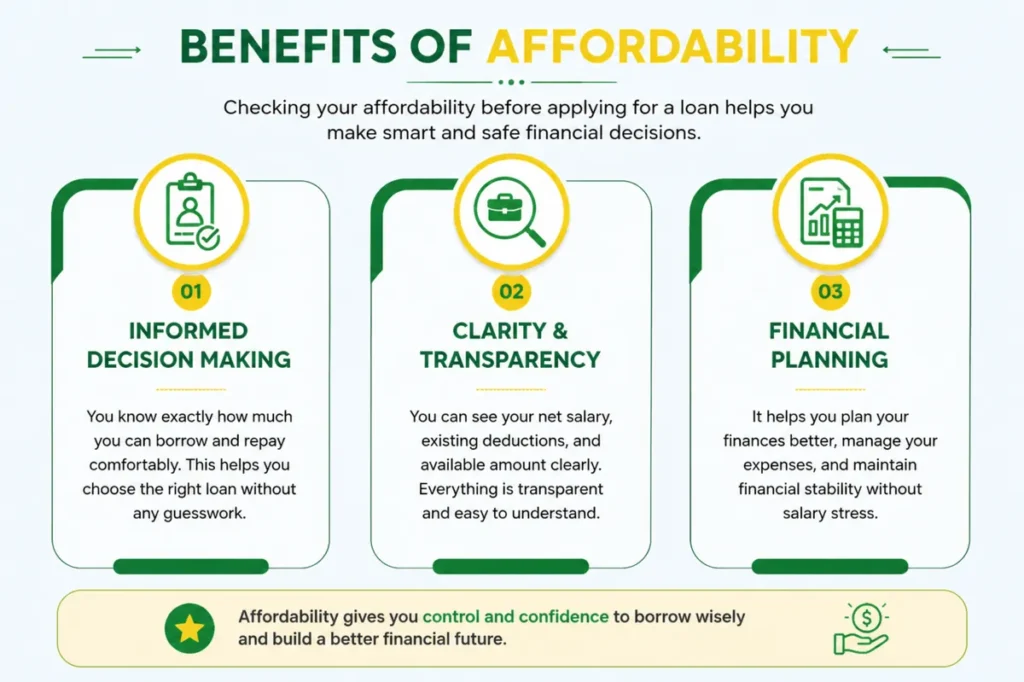
Benefits of GoG ePayslip Loan Affordability
What Affects GoG ePayslip Loan Affordability?
Several factors directly impact your GoG ePay Services loan affordability figure:
1. Basic Salary and Grade:
Your CAGD basic salary is the foundation of your affordability calculation. A higher Ghana Civil Service grade and level generally means a higher affordability figure.
2. Existing Loan Deductions:
If you already have active salary loans or advances being deducted from your GOGPayslip, these reduce your available affordability for new loans.
3. Third-Party Deductions:
Existing deductions for insurance premiums, cooperative society dues, union fees, and other authorized organizations directly reduce your CAGD loan affordability.
4. SSNIT and Tier 2 Contributions:
Your mandatory monthly SSNIT Tier 1 and Tier 2 pension contributions are deducted before affordability is calculated on the GOGEPayslip portal.
5. GRA Income Tax:
Your monthly Ghana Revenue Authority (GRA) income tax deduction also reduces your available affordability figure on www.gogpayslip.com.
Tips for Managing GoG ePayslip Loan Affordability
Use this feature wisely to avoid problems later.
👉 Checking this regularly can help you make better decisions.
Learn More About “My Affordability
Managing Your Salary Deductions Wisely
Checking your affordability figure is only useful if you act on what it tells you. If your available amount is lower than expected, the most common reason is that existing deductions have built up over time — loan repayments, union dues, insurance premiums, and cooperative contributions all chip away at what is left.
If you suspect any of your deductions are incorrect or still running after they should have stopped, our Wrongful Deductions guide explains how to flag and report them through the portal. Clearing out incorrect deductions can meaningfully improve your affordability figure before you apply for a new loan.
For third-party deductions specifically — loans, insurance, and cooperative contributions — these are only authorized through a signed mandate form. If you see a deduction you did not authorize, our Mandate Form guide explains how the authorization process works and what to do if something is wrong.
Common GoG ePayslip Loan Affordability Mistakes
Many users make small mistakes that create problems later:
👉 Always check your limit first on the GoG ePayslip Portal to stay safe.
Conclusion
The Loan Affordability tool on the GoG EPayslip portal is one of the most practical features available to Ghana government employees — and one of the least used. Checking your figure before you approach any lender takes less than five minutes and gives you a clear, accurate picture of what your salary can actually support.
Log in at www.gogpayslip.com, go to My Affordability, and know your number before your next loan application. If your deductions look higher than they should, check our Wrongful Deductions guide and our Ghana Salary System 2026 guide to understand what is being taken and why.
This website shares independent information about the GoG EPayslip system to help Ghana government employees. It is not officially connected to the Government of Ghana or CAGD.
FAQs
How can I access the “My Affordability” feature?
Log in to the GoG EPayslip portal at www.gogpayslip.com using your Employee Number and password. Once you are on your dashboard, look for “My Affordability” in the menu and click it. If you have trouble logging in, our GoG EPayslip Login Guide covers the most common access issues.
What information is shown in “My Affordability”?
The section shows your current net salary, all existing monthly deductions, and the amount still available for new loan repayments. These three figures together give you a clear picture of your actual borrowing capacity based on your CAGD payroll data — not an estimate.
Can I download or print my affordability report?
Yes. Once you are in the My Affordability section, you can download the report directly from the portal and print it if needed. Many banks and loan officers in Ghana ask for this document as part of the loan application process, so it is worth keeping a copy handy.
Why is it important to check affordability before applying for a loan?
Because lenders check this figure first. If your requested loan repayment exceeds your CAGD affordability limit, the application will be declined regardless of your employment history. Checking in advance means you can adjust the loan amount or term before applying — saving time and avoiding a rejection on your record.
How often should I check my affordability?
Check it before every new loan application and any time your salary or deductions change — for example after a promotion, a pay increment, or when an existing loan finishes. Your figure is not fixed and can move up or down depending on what is currently being deducted from your salary.
What affects GoG ePayslip Loan Affordability?
Your affordability figure is reduced by everything currently being deducted from your salary — existing loan repayments, SSNIT contributions, GRA income tax, union dues, insurance premiums, and any other authorized third-party deductions. The higher your existing deductions, the lower your available affordability for new borrowing.
Can GoG ePayslip Loan Affordability change over time?
Yes, it changes whenever your salary or deductions change. A pay increment or the end of an existing loan repayment will increase your affordability. Taking on a new loan or having a new deduction added will reduce it. This is why checking the figure fresh each time you consider a new loan is always the right approach.