GoGPayslip Mandate Form 2026: How to Generate and Submit It
If you are a Ghana government employee applying for a loan, insurance scheme, or cooperative membership involving salary deductions, you may be asked to provide a GoGPayslip Mandate Form. The exact requirements depend on the organization and applicable payroll procedures.
Visit the GoG EPayslip portal to generate your mandate form online. A mandate form is generally required before the Controller and Accountant-General’s Department can process a deduction on your payslip.
In this guide, you will learn what a mandate form is, who needs one, how to generate it through the portal, and the important 2026 update regarding mandate numbers on the old and new GoG payroll portals.

What Is a GoGPayslip Mandate Form?
Think of a mandate form as your written permission slip. It tells CAGD that you personally agreed to let a specific organization take a fixed amount from your salary each month. Without it on file, a third-party deduction is not expected to appear on your payslip.
These organizations may include:
The form serves as proof that you personally approved the deduction. This helps protect government employees from unauthorized deductions appearing on their payslips.
Who Needs a Mandate Form?
Not every government employee needs one, but you will need a mandate form if any of the following applies to you:
If no deduction is involved, you generally do not need a mandate form.
Important 2026 Update About Mandate Numbers
Before generating a mandate form, it is important to understand the difference between the old and new payroll portals.
As of 2026, government employees may encounter two different platforms:
As of 2026, government employees may encounter two different platforms for generating a mandate form.
Portal | Mandate Number Format
gogpayslip.com | May generate a different number format
gogepayservices.com | May generate a different number format
Some institutions may require a particular mandate-number format for verification. Before submitting your form, confirm the required format directly with the relevant bank, lender, insurance provider, or official payroll authority, rather than assuming which portal to use.
Before generating a mandate form, always confirm with your bank, loan company, or insurance provider which format they require.
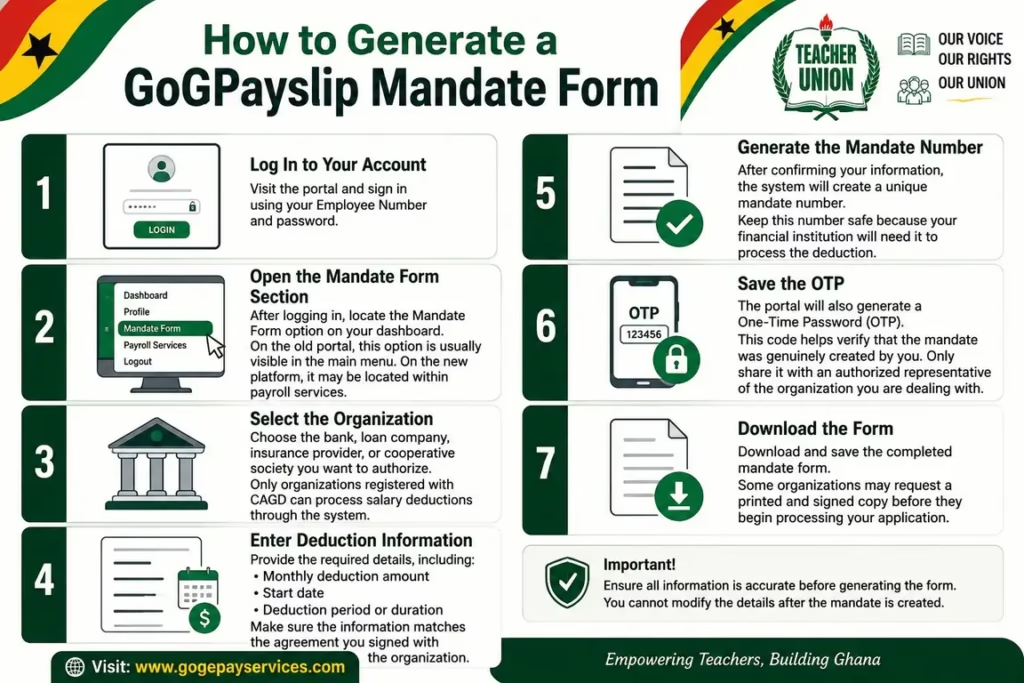
How to Generate a GoGPayslip Mandate Form
Always generate your mandate form directly through the official GoG ePayslip portal. Never enter your employee number, password, or OTP anywhere other than the official login page.
Step 1: Log In to Your Account
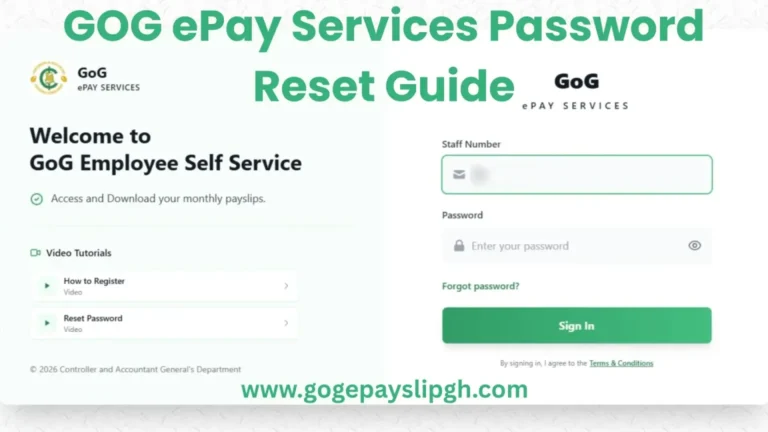
Visit the portal and sign in using your Employee Number and password If you have not registered yet, see our GoGPayslip Registration Guide first. If your Employee Number is not being recognised, our Employee Number Not Found guide walks you through the most common fixes.
Step 2: Open the Mandate Form Section
After logging in, locate the Mandate Form option on your dashboard.
On the old portal, this option is usually visible in the main menu. On the new platform, it may be located within payroll services.
Step 3: Select the Organization
Choose the bank, loan company, insurance provider, or cooperative society you want to authorize.
Generally, only organizations registered with CAGD can process salary deductions through the system.
Step 4: Enter Deduction Information
Provide the required details, including:
- Monthly deduction amount
- Start date
- Deduction period or duration
Make sure the information matches the agreement you signed with the organization.
Step 5: Generate the Mandate Number
After confirming your information, the system will create a unique mandate number.
Keep this number safe because your financial institution will need it to process the deduction.
Step 6: Save the OTP
The portal may generate an OTP or verification code during the mandate process.
Never share your OTP, password, or any other security code with anyone, including loan officers, agents, or representatives. If an organization needs to verify your mandate, confirm the official process directly through CAGD or the organization’s verified office.
Step 7: Download the Form
Download and save the completed mandate form.
Some organizations may request a printed and signed copy before they begin processing your application.
How to Check If the Deduction Is Active
After the mandate has been processed:
If the deduction does not appear after one or two pay cycles, contact the organization for an update.
How to Submit Your Mandate Form
The submission process depends on the organization involved.
For Banks and Loan Companies
Provide the mandate form and mandate number to the loan officer handling your application. Never share your GoGPayslip password or OTP with anyone. Before submitting, it is also worth checking our Loan Affordability Guide to make sure the monthly deduction fits comfortably within your salary.
For Insurance Providers
Submit the mandate information to your insurance representative as part of the enrollment process.
For Cooperative Societies
Give the completed form to the administrative office of your cooperative society for processing. Once approved, the deduction should appear on your payslip.
Security Tips for Government Employees
Employees should remain alert to unauthorized deductions, suspicious messages, and requests for confidential payroll information. A few simple habits can go a long way toward keeping your payroll information safe:
Taking these precautions can help prevent unauthorized access to your payroll information. If you ever feel your account may have been compromised, change your password straight away using our Password Reset Guide.
FAQs
Conclusion
Generating a GoGPayslip Mandate Form is an important step for any Ghana government employee who wants loan repayments, insurance premiums, or cooperative contributions deducted directly from their salary. The process is simple, but it is important to provide accurate information and keep your mandate number and OTP secure.
Before creating a mandate form, always confirm with your bank, loan company, or insurance provider which portal and number format they require. Using the correct format can help you avoid unnecessary delays during approval.
Most importantly, never share your GoGPayslip password with anyone. Generate the mandate form yourself, verify all deduction details carefully, and regularly check your payslip to ensure every deduction is authorized. Getting this right from the start saves you a lot of back and forth later — both with your employer and with the financial institution involved.