GoG EPayslip for Ghana Government Employees – Teachers, Nurses & Police 2026
Whether you are a teacher, nurse, police officer, civil servant, or local government worker, every Ghana government employee accesses their salary records through the same system — the GoG EPayslip portal, managed by the Controller and Accountant-General’s Department (CAGD).
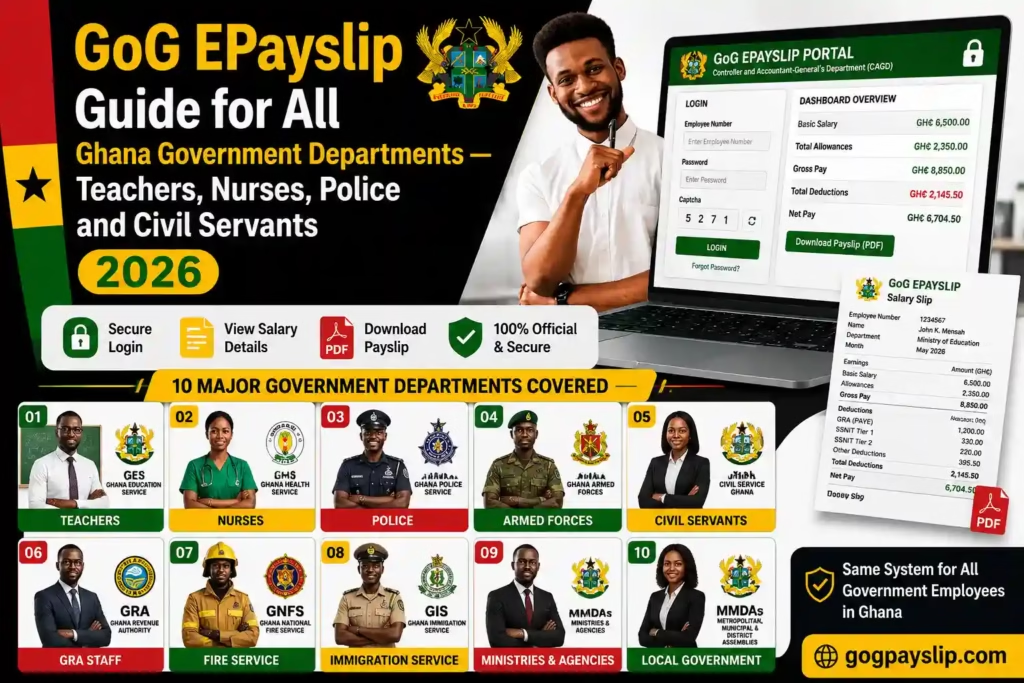
The portal works the same way for every public sector department. Log in with your Employee Number and password, and your dashboard shows your basic salary, allowances, SSNIT contributions, tax deductions, and payslip downloads — all in one place. This guide breaks down exactly how it works for each group of government workers in Ghana in 2026, and covers the most common salary problems employees run into along the way.
This complete GoG EPayslip for Ghana Government Employees guide covers login steps, payroll deductions, salary issues, promotions, allowances, and CAGD support for all departments in Ghana.
GoG EPayslip for Ghana Government Employees in GES
Your GoG EPayslip as a GES teacher shows your basic salary, teaching allowance, housing allowance, transport allowance and responsibility allowance where applicable. On the deductions side, you will see Income Tax (PAYE) collected by GRA, SSNIT Tier 1, Tier 2 Pension contributions and any active loan repayments.
To log in, visit gogpayslip.com and enter your Employee Number — also called your GES Payroll Number — along with your password and captcha code. If you are registering for the first time, you will need a Registration Code from your GES payroll validator or district education office. New employees may also need to verify their Ghana Card during the account setup process.
Many GES teachers run into problems after transfers or promotions. Missing allowances, incorrect salary grades, and OTP issues when phone numbers change after rural postings are the most common complaints. Teachers who want to switch unions should follow our guide on changing your Teacher Union on GoG ePayslip. For anything else affecting your account, report it to your district education office or contact the CAGD helpdesk directly.
GoG EPayslip for Ghana Government Employees in Ghana Health Service
Nurses, doctors, health assistants and all Ghana Health Service staff receive their monthly salary through the CAGD EPayslip system. Visit gogpayslip.com, log in with your Employee Number and password, and your dashboard will show your basic salary, professional allowances, on-call allowances, hazard pay, GRA Income Tax, SSNIT Tier 1, Tier 2 Pension and all active deductions.
First time registering? You will need a Registration Code from your facility HR officer and your Ghana Card for account verification. If you face any OTP issues, contact the CAGD helpdesk immediately.
GHS workers who have recently been confirmed or promoted should check their GoG EPayslip carefully to confirm their new salary grade is correctly updated on the CAGD payroll system. Missing allowances or incorrect deductions should be reported to your HR officer without delay.
GoG EPayslip for Ghana Government Employees in Police Service
Ghana Police Service officers access their monthly salary slip through the GoG EPayslip portal at gogpayslip.com. Log in with your Police Employee Number and password to open your dashboard and view your police salary, rank-based allowances, uniform allowance, GRA Income Tax, SSNIT contributions, Tier 2 Pension and all active deductions.
If you are registering for the first time, keep your Ghana Card ready for verification. OTP issues are common when phone numbers change after postings — contact the CAGD helpdesk to fix this quickly.
Recently promoted? Check your GoG EPayslip immediately to confirm your new rank and salary scale is correctly updated on the CAGD payroll system. If it is not, report it to your police HR office without delay — every month it goes unfixed is money you are not receiving.
GoG EPayslip for Ghana Armed Forces Personnel
Ghana Armed Forces personnel on the CAGD civil payroll access their monthly salary slip at gogpayslip.com. Log in with your assigned Employee Number and password to open your dashboard and view your military salary, applicable allowances, GRA Income Tax and all statutory deductions including SSNIT contributions and Tier 2 Pension.
First time registering? Have your Ghana Card ready for verification. OTP issues during login are easy to fix — just contact the CAGD helpdesk and they will restore your access so you can download your payslip the same day.
Check your SSNIT and Tier 2 Pension figures every month. These are your retirement savings — any error left unreported means money missing from your future.
GoG EPayslip for Local Government Employees in Ghana
If you work under a Metropolitan, Municipal or District Assembly (MMDA) anywhere in Ghana, your monthly salary comes through the CAGD EPayslip system. Assembly workers, district administrative staff and local government officers all access their payslip at gogpayslip.com using their Employee Number issued by their MMDA payroll office.
Log in with your Employee Number and password to open your dashboard and check your basic salary, local government allowances, GRA Income Tax, SSNIT contributions and Tier 2 Pension deductions. Registering for the first time? Have your Ghana Card ready and keep your OTP accessible during setup.
Been transferred between districts recently? Log in to your GoG EPayslip immediately and confirm your salary and allowances are correctly updated in the CAGD payroll system. Transfer-related payroll errors are common — the sooner you report them, the faster they get fixed.
GoG EPayslip for Ghana government employees Ghana Revenue Authority Staff
Ghana Revenue Authority staff on the government payroll access their monthly salary slip at gogpayslip.com. Log in with your CAGD Employee Number and password to open your dashboard and view your salary, professional allowances, GRA Income Tax (PAYE), SSNIT contributions, Tier 2 Pension and all active deductions.
As the people responsible for tax collection in Ghana, GRA employees should check their own Income Tax deductions on their GoG EPayslip every month to make sure calculations are correct. Any error should be reported to the CAGD helpdesk immediately.
First time registering? Keep your Ghana Card ready for verification. OTP issues during login are common — contact the CAGD helpdesk to restore access and download your payslip without delay.
GoG EPayslip for Ghana government employees Judicial Service Staff in Ghana
Judicial Service employees including court administrators, registrars and other court staff access their monthly salary slip through the GoG EPayslip portal at gogpayslip.com. Log in with your CAGD Employee Number and password to open your dashboard and view your salary, GRA Income Tax (PAYE), SSNIT contributions, Tier 2 Pension and all active deductions.
From your dashboard you can download monthly payslip records, check your GRA tax report and track your SSNIT contributions all the same portal features available to every Ghana government employee.
First time registering? Have your Ghana Card ready for verification. OTP problems during login are easy to fix contact the CAGD helpdesk and they will restore your access the same day.
GoG EPayslip for Ghana government employees Immigration Service Officers
Ghana Immigration Service officers on the CAGD payroll access their monthly salary slip at gogpayslip.com. Log in with your assigned Employee Number and password to open your dashboard and view your salary, rank-based allowances, GRA Income Tax (PAYE), SSNIT contributions, Tier 2 Pension and all active deductions.
Check your GoG EPayslip carefully every month — especially after a promotion or posting to a border area where additional allowances should appear. Any missing allowance should be reported to your HR office and the CAGD helpdesk without delay.
First time registering? Have your Ghana Card ready for account verification. OTP issues after postings to remote areas are common — contact the CAGD helpdesk immediately to restore your GoG EPayslip access and download your payslip.
GoG EPayslip for Prisons Service Officers
Ghana Prisons Service officers access their CAGD EPayslip salary records through the GoG EPayslip portal at gogpayslip.com. Log in with your Prisons Service Employee Number and password to view your monthly payslip, rank-based allowances, GRA Income Tax, SSNIT contributions, Tier 2 Pension, and all active deductions.
Check your payslip carefully every month — especially after a promotion or posting change where rank-based allowances should be updated. Any missing or incorrect deduction should be reported to your HR office and the CAGD helpdesk without delay. First time registering? Have your Ghana Card ready for account verification.
GoG EPayslip for Ghana National Fire Service Personnel
Ghana National Fire Service personnel on the government payroll access their monthly salary slip at gogpayslip.com. Log in with your CAGD Employee Number and password to open your dashboard and view your salary, rank-based allowances, GRA Income Tax (PAYE), SSNIT contributions, Tier 2 Pension and all active deductions.
Check your GoG EPayslip every month, especially after a promotion or station transfer where rank-based allowances should be updated. Any missing or incorrect deduction should be reported to your HR office and the CAGD helpdesk immediately.
If you are registering for the first time, have your Ghana Card ready for verification. OTP problems during login are common after station changes so contact the CAGD helpdesk to restore your access and download your payslip the same day.
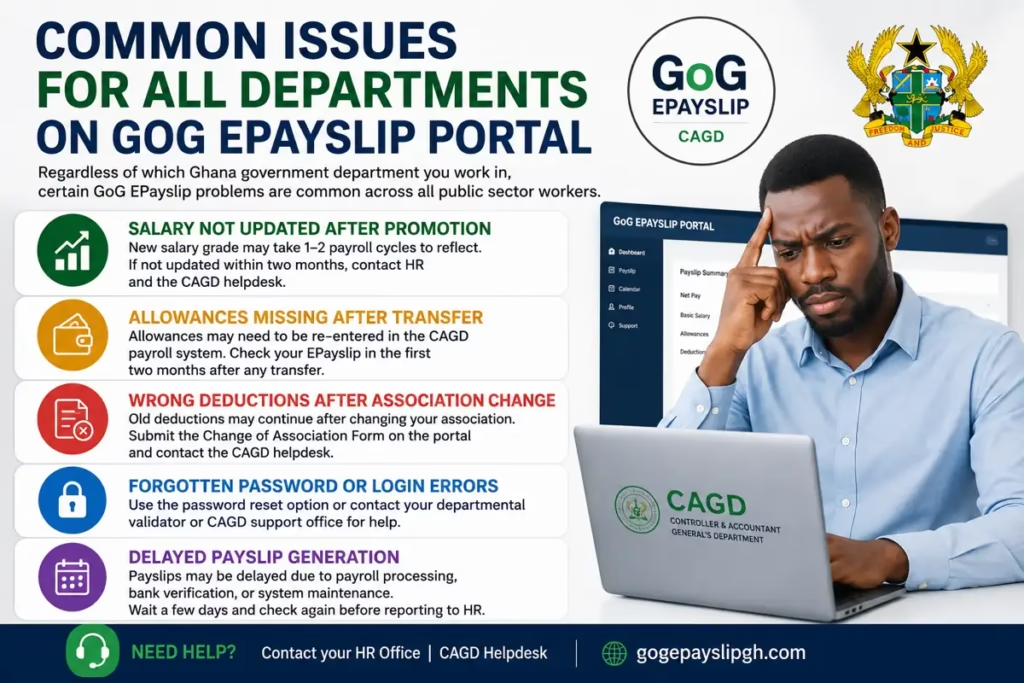
Common Issues for All Departments on GoG EPayslip Portal
Many Ghana government employees face similar problems while using the GoG EPayslip Portal, regardless of their department. Teachers, nurses, police officers, civil servants, and other public sector workers often report payroll and salary-related issues on the CAGD EPayslip system.
GoG EPayslip for Ghana government employees Salary Not Updated After Promotion
One of the most common GoG EPayslip problems is delayed salary updates after promotion or confirmation. After a Ghana government employee receives a promotion, the new salary scale or grade level may take one or two payroll cycles to appear on the CAGD payroll portal.
If your updated salary does not reflect within two months, contact your department’s HR office and the CAGD helpdesk for payroll verification and correction.
Allowances Missing After Transfer
Missing allowances after a departmental transfer is another common issue on the GoG EPayslip system. When an employee is transferred to another district, ministry, school, hospital, or government office, some allowances may not transfer automatically in the CAGD payroll database.
Public sector workers should carefully review their GoG EPayslip for at least two payroll cycles after any transfer to confirm that allowances and benefits are correctly added.
Wrong Deductions After Association Change
Incorrect deductions can happen when an employee changes a union, welfare group, or professional association, but the old deduction still continues on the GoG EPayslip.
To resolve this issue, submit the official Change of Association Form through the GoG EPayslip portal and follow up with the CAGD payroll support team. Teachers specifically can follow our Teacher Union change guide for step by step instructions. Also report the old deduction through the Wrongful Deductions section of the portal so it gets investigated and reversed.
Forgotten Password or Login Errors
Many employees also face GoG EPayslip login problems such as forgotten passwords, account lock issues, or invalid employee numbers.In most cases, these problems can be fixed quickly. See our GoG EPayslip Password Reset Guide for step by step instructions, or our Employee Number Not Found guide if the system is not recognising your number.
Delayed Payslip Generation
Sometimes monthly payslips are not generated on time due to payroll processing delays, banking verification, or system maintenance on the CAGD EPayslip platform. Employees are advised to wait a few days and check the portal again before reporting the issue to HR.
How All Ghana Government Employees Access GoG EPayslip
All Ghana government employees use the same GoG EPayslip login process, whether they work in education, health, police, military, or civil service departments.
- Visit gogpayslip.com using your browser. For a full walkthrough of the login process, see our GoG EPayslip Login Guide.
- Enter your Employee Number provided by your payroll office.
- Type your GoG EPayslip password. New users must complete EPayslip registration first.
- Enter the captcha security code and click Login.
- Access your GoG EPayslip dashboard to view salary details, allowances, deductions, payslips, and payroll updates.
CAGD EPayslip Helpdesk — Contact for All Departments
If you face any problem accessing the GoG EPayslip portal regardless of your government department, contact the CAGD helpdesk team for assistance.
CAGD Helpdesk Phone Numbers:
CAGD Main Office Phone: +233 (0) 302983507
CAGD Postal Address: P.O. Box M79, Ministries, Accra, Ghana, GPS: GA-110-7376
Portal Access: gogpayslip.com/
FAQs
Do all Ghana government departments use the same GoG EPayslip portal?
Yes. Every Ghana public sector employee — whether you work in education, health, police, armed forces, local government, or any other CAGD-registered department — accesses their payslip through the same portal at gogpayslip.com. The login process is identical across all departments. What differs is the specific allowances and deductions that appear on your payslip depending on your role and grade.
My department transferred me but my salary is still wrong on GoG EPayslip. What do I do?
Start by contacting your new department’s HR office to confirm your transfer details have been formally submitted to the CAGD payroll system — this step is often missed and is usually the cause of the delay. If the HR office confirms everything was submitted but the update still has not appeared after two payroll cycles, call the CAGD helpdesk on 0242162781 to follow up directly.
I was promoted but my GoG EPayslip still shows my old salary. How do I fix this?
Promotion salary updates have to be processed through your departmental HR office and submitted to CAGD before they appear on your payslip. Contact your HR office first and confirm the promotion documents have actually been submitted — do not assume this has been done automatically. If the update does not appear within two payroll cycles after submission, follow up with the CAGD helpdesk. Every month this goes unfixed is money you are not receiving.
What is my Employee Number for GoG EPayslip?
Your Employee Number, sometimes called your Payroll Number, is the unique identification number issued to you by your department HR office when you joined government service. You can find it on your appointment letter or any old paper payslip. If you are still unable to locate it, contact your HR office directly. If the portal is not recognising your number, see our Employee Number Not Found guide for a full list of causes and fixes.
How does GoG EPayslip login work for Ghana government employees?
Every government employee uses their assigned Employee Number and password to log in at gogpayslip.com. You will also need to enter a captcha security code on the login page. First-time users must complete registration before logging in — you will need your Employee Number, Registration Code, mobile number, email address, and Ghana Card for verification. See our GoGPayslip Registration Guide if you have not set up your account yet.
Conclusion
No matter which government department you work in, your salary records and monthly payslip are all accessible through the same GoG EPayslip portal. Make it a habit to log in every month, check every line of your deductions — not just the net figure — and report any problem straight away.
For specific issues, our guides cover the most common ones in detail: Wrongful Deductions, Employee Number Not Found, Password Reset, and the Ghana Salary System 2026 guide for understanding how your pay and deductions are structured.
This website shares independent information about the GoG EPayslip system to help Ghana government employees. It is not officially connected to the Government of Ghana or CAGD.